
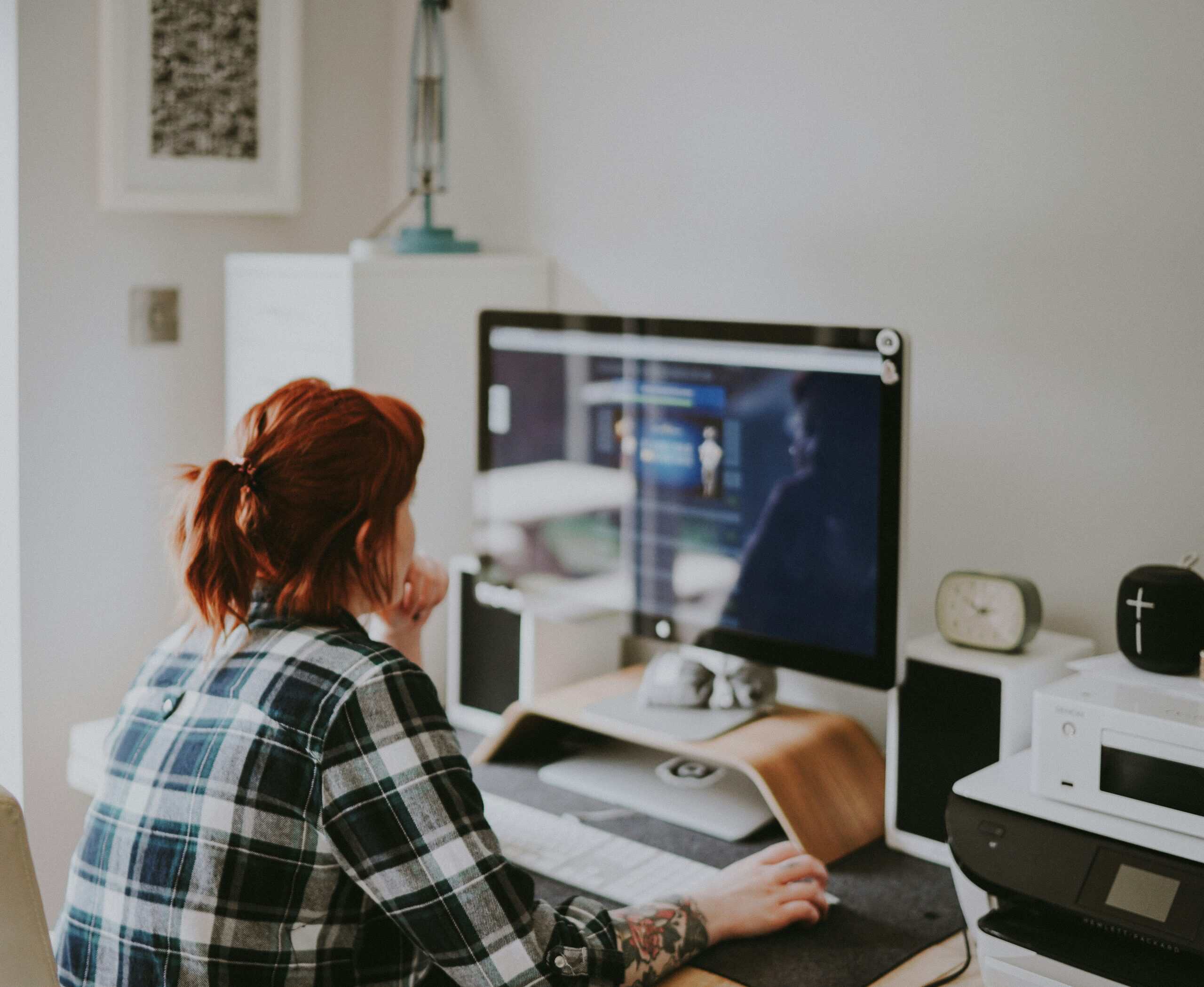
By mid-afternoon at the kitchen table, your lower back starts to ache, and by evening it is stiff. Relieving back pain from working from home comes down to fixing your setup, moving more often, and supporting your back where a basic chair falls short. None of it needs a fancy office, and most fixes cost little or nothing. Comparing options? See our best tens units for pain relief roundup.
Key takeaways
- A screen at eye level and lower-back support fix the most common causes.
- Feet flat and hips slightly above knee level keep the spine neutral.
- Regular movement breaks matter more than any single gadget.
- Alternating sitting and standing beats holding one position for hours.
- Severe, persistent, or radiating pain deserves a professional review.
Why Working From Home Causes Back Pain
Home setups rarely match a full workday, and that mismatch is the root of most aches. Couches, beds, and kitchen tables put the body in positions it cannot hold comfortably for hours. Two factors do most of the damage.
Makeshift Desks and Chairs
A low laptop screen pulls your head and shoulders into a hunch, while a dining chair offers no lower-back support.1 Held for hours, that posture strains the back and neck. The body was not built to fold forward all day.
Sitting Too Long
Long, unbroken sitting stiffens muscles and loads the spine, no matter how good the chair is. Movement is the ingredient most home setups are missing. The fix is as much about getting up as it is about how you sit.
Fix Your Workstation First
Setup changes give the biggest payoff for the least effort. Start here before buying anything elaborate. A few cheap adjustments solve most home-desk back pain.
Raise the Screen and Drop the Reach
Position the top of your screen near eye level so you stop craning down, and keep the keyboard low enough that your shoulders relax. A laptop stand with a separate keyboard does this for very little. Your neck and upper back ease the moment the screen comes up.
Support the Lower Back
Most home chairs lack lumbar support, which is where the lower back loses its natural curve and starts to slump. A lumbar support pillow restores that curve, and ergonomic pillows for desk workers target the same problem. This one change fixes more home-desk back pain than any other.
Sit With Neutral Alignment
Good posture is less about sitting rigidly upright and more about keeping the spine in a neutral line. The goal is a relaxed, supported position you can hold without effort. A few reference points get you there.
Feet, Hips, and Knees
Keep your feet flat on the floor with hips at or slightly above knee level, which keeps the pelvis neutral and the lower back comfortable. A footrest helps if your chair sits too tall. This simple geometry takes pressure off the lumbar spine.
Ease Tailbone Pressure
Hard, flat seats concentrate pressure on the tailbone over a long day. A seat cushion for tailbone pain spreads that load and makes long sessions easier. Relief at the seat lets you sit longer without shifting into a slump.
Move More Through the Day
No setup replaces regular movement, which is the real fix for a desk-bound back. The body wants to change position often. Build that in and the aches fade.
Take Frequent Breaks
Stand, walk, or stretch briefly through the day to reset your posture and loosen tight muscles. Short, frequent breaks beat one long stretch session at the end of the day. A recurring reminder makes the breaks actually happen.
Loosen Tight Muscles
Gentle stretching and mobility work ease the stiffness that builds from sitting. A foam roller helps release a tight back and hips after work, and an acupressure mat gives some people a way to relax tense muscles in the evening. Use whichever you will actually reach for.
Build Habits That Protect Your Back
A few daily habits reinforce the setup and posture fixes. They cost nothing and pay off over weeks. Consistency is what makes them work.
Alternate Sitting and Standing
Switching between sitting and standing, even with a makeshift raised surface, changes the load on your spine through the day. Variety in posture beats holding any single position for hours. A box on the desk can turn it into a standing spot for part of the day.
Build Strength Over Time
Stronger core and back muscles hold good posture better than any device. Pair short daily movement with the setup fixes above and the improvement compounds. A posture reminder can help if you slump without noticing, and our honest take on posture correctors explains what they can and cannot do.
The Ergonomics of a Healthy Desk Setup
Ergonomics sounds technical, but it comes down to a few reference points. Hit them and your body stops fighting the desk. Each one removes a specific strain.
Monitor and Keyboard
Set the top of the screen near eye level and about an arm’s length away, so your neck stays neutral instead of craning down.1 Keep the keyboard and mouse low enough that your shoulders relax and your elbows rest near a right angle. A laptop stand plus a separate keyboard solves both at once.
Chair and Feet
Your feet should rest flat, with hips at or slightly above knee level, which keeps the pelvis neutral. Add lower-back support so the chair holds your lumbar curve instead of letting you slump. A footrest fills the gap when a chair sits too tall.
Gentle Movement for Desk Workers
Movement is the part most home setups skip, and it matters more than any single piece of gear. You do not need a gym routine. You need to break up the stillness.
Micro-Breaks Through the Day
Stand, walk, or roll your shoulders every so often to reset your posture and ease tension. Short, frequent breaks beat one long stretch at the end of the day. A recurring reminder keeps them from slipping.
End-of-Day Mobility
A few minutes of gentle stretching or foam rolling after work releases what sitting tightened. Focus on the hips, chest, and upper back, which take the brunt of desk posture. Done regularly, it keeps stiffness from carrying into tomorrow.
When Back Pain Is More Than Posture
Most desk back pain eases with setup and movement, but not all of it. Some signs point to a cause that needs a closer look. Knowing them keeps you from guessing for weeks.
Signs Worth a Professional’s Input
Pain that is severe, lingers despite changes, follows an injury, or radiates into a leg with numbness or weakness warrants a doctor’s evaluation. These signs go beyond what a cushion can fix. A professional can find the cause and guide treatment.
Why Early Input Helps
Addressing a persistent problem early tends to be simpler than waiting it out. A doctor or physical therapist can check whether something other than posture is driving the pain. That assessment is worth more than another round of trial and error.
Standing Desk or Sitting Setup
A standing option appeals to a lot of home workers, but standing all day is not the goal. The win comes from switching between positions. Here is how to decide and how to do it cheaply.
When Standing Helps
Standing for part of the day changes the load on your spine and breaks up long sitting. It suits people who stiffen up when seated for hours. The key is alternating, since standing for a full day brings its own foot and back strain.
Building a Budget Standing Spot
You do not need an expensive desk to stand for part of the day. A sturdy box or a shelf at the right height turns a corner of the desk into a standing station. Raise the screen to eye level there too, so good posture follows you when you stand.
Supportive Gear Worth Considering
A few inexpensive items fix the gaps a basic home desk leaves. Each targets a specific strain. Together they make a dining chair workable for a full day.
Lumbar and Seat Support
A lumbar support pillow restores the lower back’s curve in a chair that has none, and a seat cushion spreads pressure off the tailbone. Both let you hold a neutral posture longer. They cost little next to a new chair and solve most home-desk discomfort.
Footrests and Monitor Stands
A footrest lets you keep feet flat and hips neutral when a chair sits too tall. A monitor stand or laptop riser brings the screen to eye level so you stop craning down. These two cheap fixes correct the most common home-desk posture errors.
Building Back Strength Over Time
Setup and movement relieve pain, and stronger muscles help keep it away. You do not need a gym for this. A little consistency goes a long way.
Why Strength Helps
A stronger core and back hold good posture with less effort, so you slump less as the day wears on. Muscles that support the spine reduce the load it carries. Over weeks, that support makes long workdays easier on the back.
Starting Gently
Short daily movement, gentle stretching, and gradual strengthening beat occasional intense sessions. Build up slowly, especially if you already have pain. A foam roller after work helps release what sitting tightened.
Setting Up in a Small or Shared Space
Not everyone has a spare room for a proper desk, and a cramped or shared setup brings its own posture traps. A few adjustments make even a tight space work. The principles stay the same; the execution gets creative.
When There Is No Spare Room
A corner of a table can become a sound workstation with a laptop riser, a separate keyboard, and lower-back support on whatever chair you have. The goal is the same neutral posture, just built from what fits the space. Even a temporary spot benefits from a screen at eye level.
Temporary and Rotating Setups
If you move between rooms during the day, carry the small fixes with you: a portable cushion, a riser, and the habit of raising the screen. Changing location naturally adds movement, which helps the back. Keep the couch and bed for breaks rather than the workday.
A Short Reset for a Stiff Back
When your back tightens mid-afternoon, a brief reset helps more than pushing through. The aim is to break up the stillness and ease tension. Keep it gentle and stop if anything hurts.
Stand up and walk for a minute, then roll your shoulders back a few times and gently lengthen through your upper body. Let your gaze and your screen come back to eye level when you sit down again, and check that your lower back is supported. A short walk to refill your water doubles as a movement break.
Repeat a reset like this through the day rather than saving all your movement for the evening. If a particular stretch causes pain rather than relief, skip it, since sharp or worsening pain is a signal to stop and, if it persists, to see a professional. Gentle, frequent movement is the goal, not intensity.
Common Mistakes That Make Back Pain Worse
A few habits quietly undo the fixes above. Watch for these as you set up and work.
Working from the couch or bed feels comfortable for an hour and costs you by evening. Soft surfaces give the spine nothing to rest against, so move to a proper chair and desk for the workday. Save the couch for after hours.
Buying an expensive chair and skipping everything else leaves gains on the table. Screen height, lower-back support, and regular movement all matter, so treat the chair as one piece of the puzzle. A good chair alone does not fix a low screen.
Sitting perfectly still in “good posture” all day still stiffens the back. Even an ideal position becomes a strain when held for hours, so build in movement breaks. Posture and motion work together.
Standing all day to avoid sitting swaps one strain for another. Standing for hours brings its own aches, so alternate between the two rather than committing to either. Variety is the goal.
Treating a daily ache as just part of the job can mask a problem that needs attention. Back pain that is severe, persistent, follows an injury, or radiates with numbness or weakness warrants a doctor’s evaluation rather than another cushion.
Ignoring stretching leaves tight hips and a tight back to feed the pain. A few minutes of mobility work after the workday releases what sitting tightened. Skipping it lets the stiffness carry into the next day.
Recommended read: The biggest fix for most home setups is lower-back support. See our best lumbar support pillows and seat cushions for tailbone pain.
Frequently Asked Questions
How do I stop my back from hurting at my desk?
Raise your screen to eye level, add lower-back support, keep your feet flat with hips slightly above knees, and take regular movement breaks. These setup and habit fixes address the most common causes of desk-related back pain.
Is a lumbar pillow worth it for working from home?
For most home chairs that lack built-in support, a lumbar pillow helps restore the lower back’s natural curve and reduces slouching. It is an inexpensive fix for one of the most common causes of desk back pain.
How often should I take breaks to avoid back pain?
Frequent short breaks beat occasional long ones. Standing, walking, or stretching regularly through the day resets your posture and loosens muscles. Many people set a recurring reminder so the breaks actually happen.
Does sitting posture really matter?
Yes. Sustained slouching loads the spine and strains muscles. Neutral alignment, with feet flat, lower-back support, and a screen at eye level, reduces that strain far more than sitting rigidly upright.
Is standing better than sitting for back pain?
Not on its own. Standing all day brings its own strain, so alternating between sitting and standing usually works best. Variety in posture and regular movement matter more than choosing one position for the whole day.
Can a seat cushion help with lower back pain at a desk?
A supportive seat cushion spreads pressure off the tailbone and can make long sitting more comfortable. Paired with lumbar support and good screen height, it helps you hold a neutral posture for longer.
When should I see a doctor about back pain?
See a professional if back pain is severe, persistent, follows an injury, or comes with numbness, tingling, or weakness. These signs need evaluation rather than only an ergonomic adjustment.
Where can I learn more about desk ergonomics?
The Mayo Clinic office ergonomics guide covers desk setup and posture in detail.1 The CDC also publishes guidance on reducing sedentary strain during the workday.2
Related Reading
Explore more: Inversion Tables That Take the Pressure Off Your Back in 202, how to fall back asleep after waking up, mattresses for stomach sleepers with back pain, grounding mats for sleep and pain relief, mattresses for back sleepers with back pain, massage balls trigger point relief, how to relieve pain better sleep, and pillows for hip pain. Also explore: foot massagers bedtime relaxation.
Recommended Reading
See also our guides to back stretcher vs neck traction, grounding mats for sleep and pain relief, and inversion tables for back pain. Also see office chairs for back pain, support for long days at the desk.
Sources
- Mayo Clinic, office ergonomics. mayoclinic.org
- CDC, workplace health and reducing sedentary time. cdc.gov
This article is for general information and is not medical advice. Back pain varies by individual and requires evaluation by a qualified healthcare provider for diagnosis and treatment.
